
Most software starts as a conversation: a customer requests a new capability, a product manager weighs it against the roadmap, an engineer checks feasibility, and a security lead asks what it touches.
Then someone has to turn it into work. They reread the thread, retype the decisions into an issue, and hope they didn’t miss an important detail buried in a reply. The conversation moves fast; the handoff between both teams and tools is where it slows.
AI agents are uniquely equipped for that handoff: reading a long, many-voiced discussion and turning it into structured work. That leaves people free to collaborate while agents produce the output.
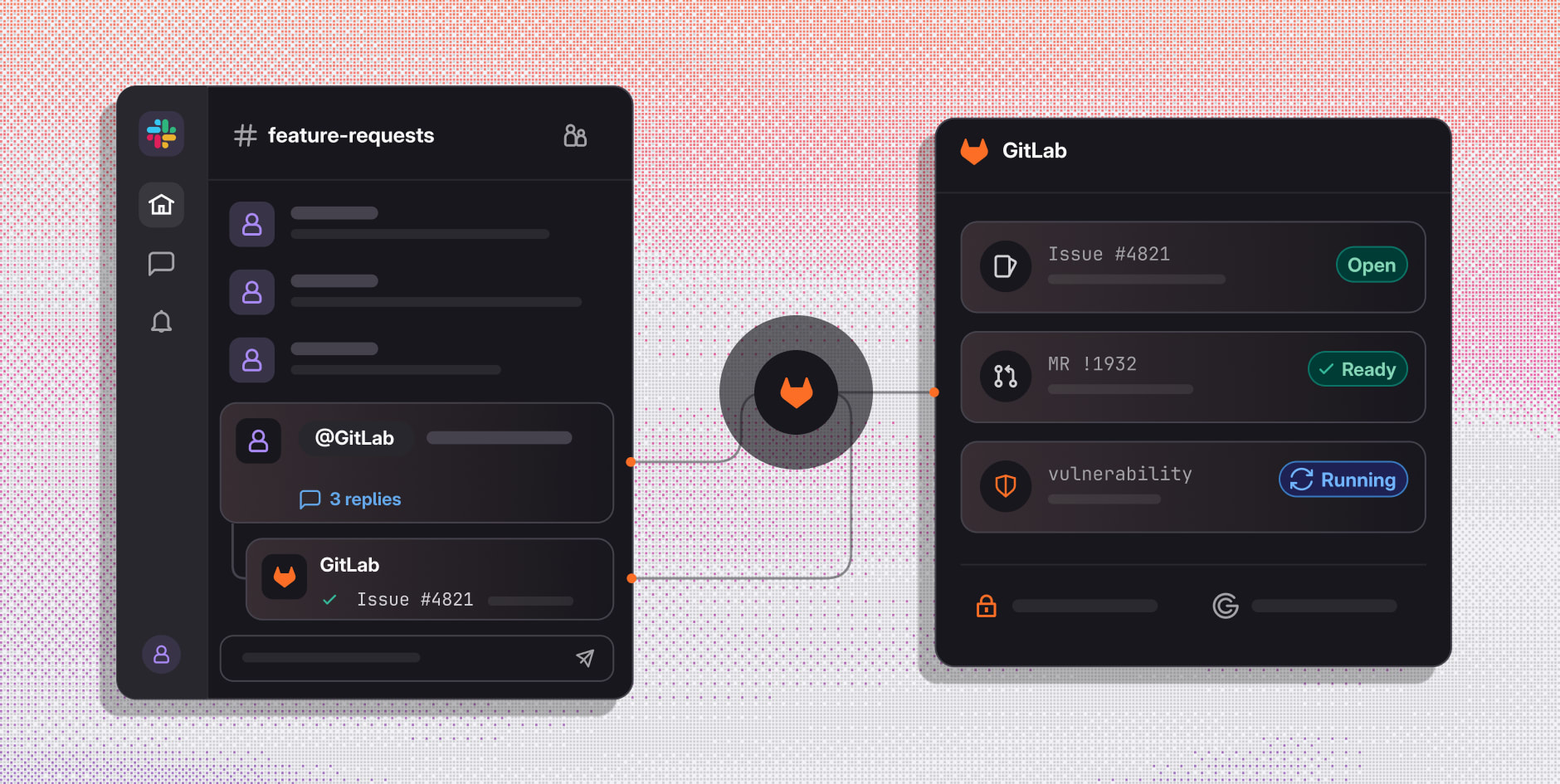
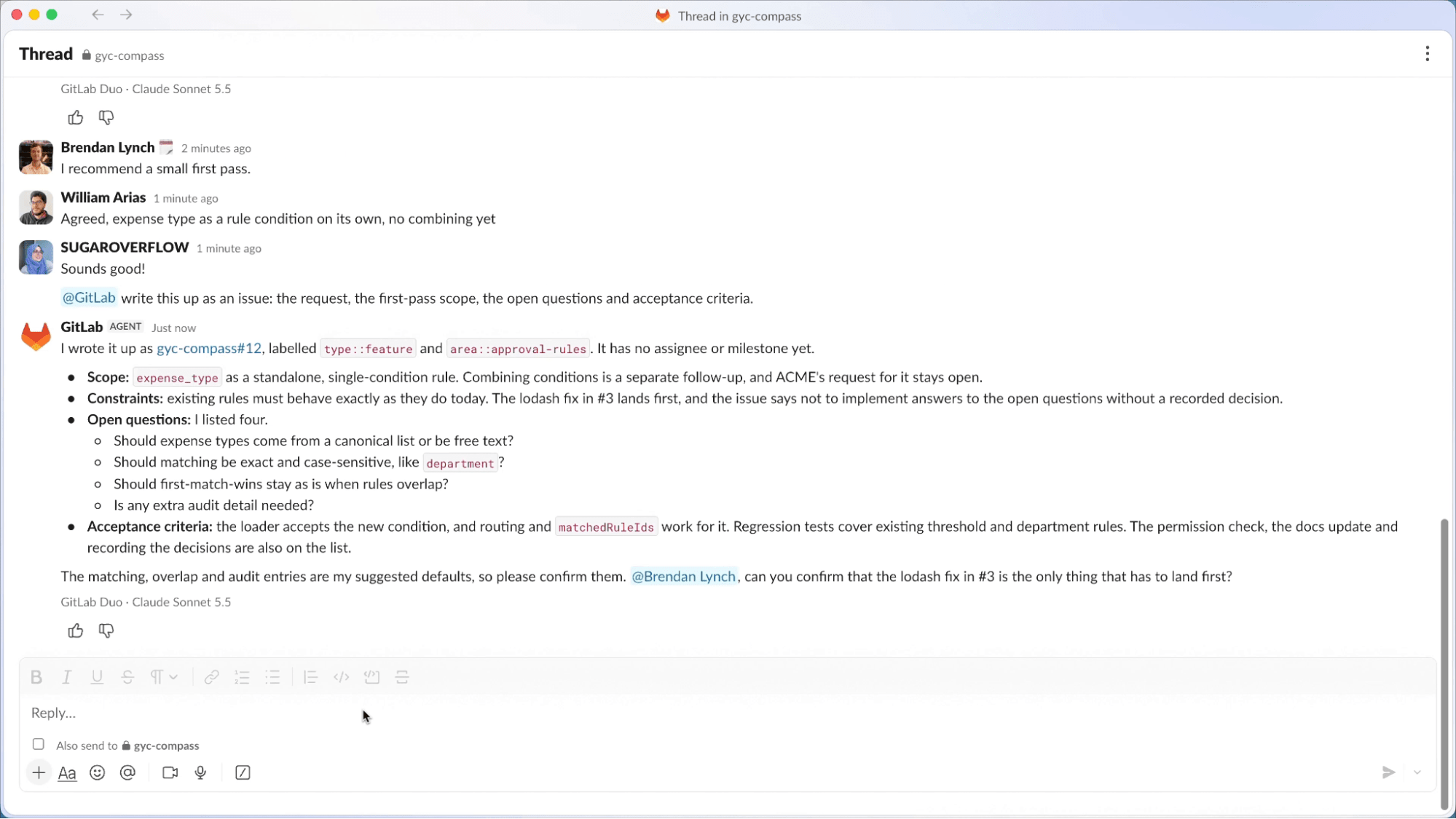
GitLab for Slack now adds agentic capabilities and is generally available for GitLab.com users in GitLab 19.6, with support for GitLab Self-Managed and GitLab Dedicated to follow. Mention @GitLab in a thread in your team's channels, and the agent reads the conversation, finds what already exists, turns decisions into tracked work, and starts the agent flows that carry it to production. Work starts in Slack and lands in GitLab, where it's governed, tracked, and delivered.
"Teams make decisions in Slack every day, and the best agents are the ones that can act on that context. GitLab for Slack lets agents read the conversation, take action across the software lifecycle in GitLab, and bring the results back to the thread. Teams can go from a quick discussion to planned, reviewed, and shipped work without switching tools."
– Katie Steigman, Vice President Product Management, Slack
Slack is the front door, GitLab does the work
GitLab for Slack connects the interface where your team discusses the work to the platform where your software ships. Your team’s conversation in Slack itself becomes the agent's input, so no decision gets lost between the thread and the first commit.
The agent also looks beyond the thread. When you mention @GitLab, it can read the messages in the channel where you mentioned it, so its response reflects the whole discussion and not only the replies under one message. You can also ask it to catch you up first, for example: “@GitLab, summarize #channel for me.”
It works in both directions. GitLab context (what's been built, what's tracked, whether a merge request is ready, etc.) also shows up in the conversation. The conversation becomes issues, merge requests, and running agent flows, with results posted back to the thread.
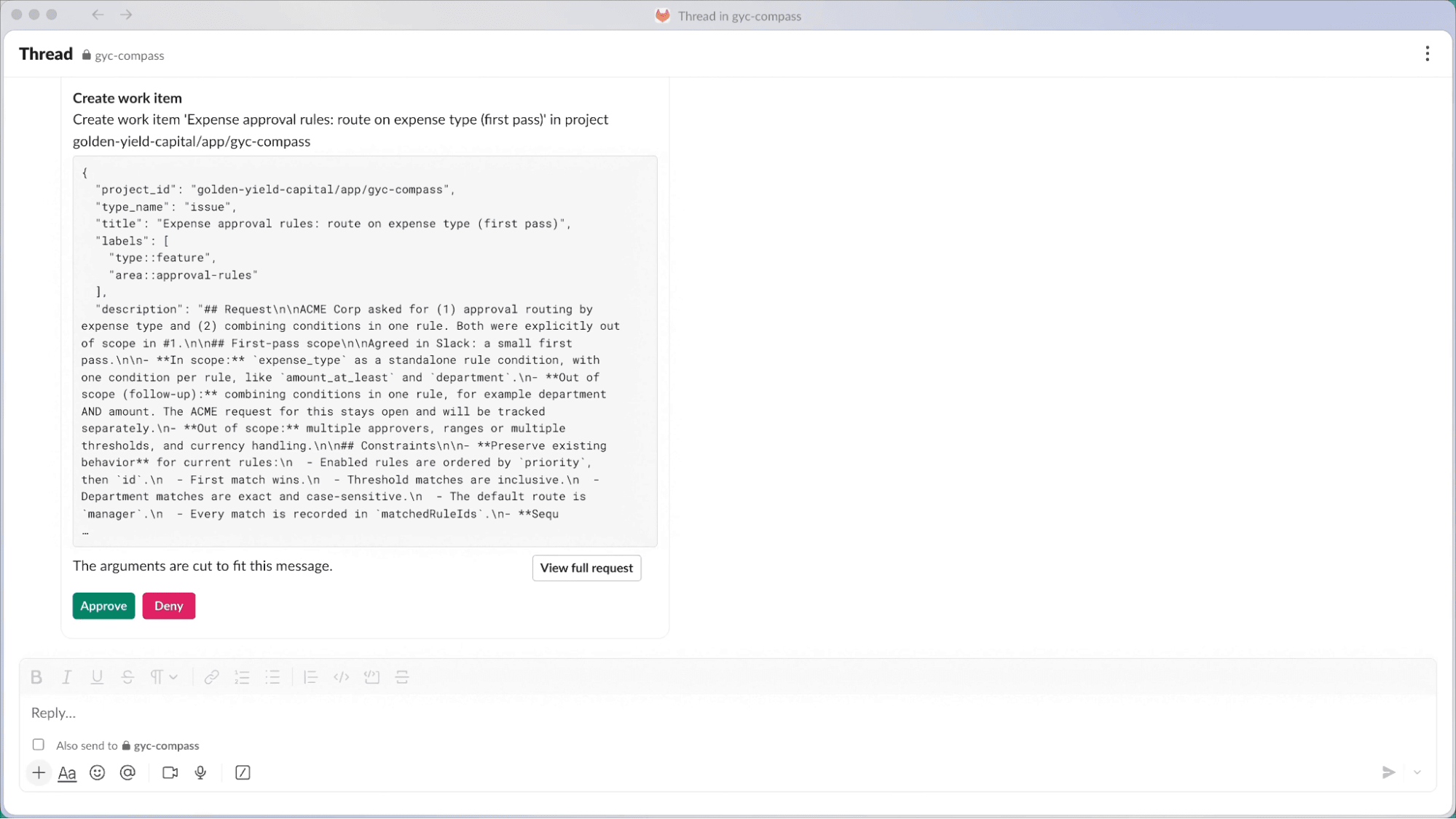
If your team already uses the GitLab for Slack app on GitLab.com, reinstall it today to add these agent capabilities. There's nothing new to learn; you just mention @GitLab.
Use it where your team works
Debate it in the channel. Draft it in your DM. GitLab for Slack works in both places:
- Public and private channels: Bring the agent into team discussions and turn decisions into tracked work where everyone can see it.
- Your own DM: Get a private space to ask questions, check on a merge request, or draft an issue before you share anything with the team.
One thread, every role
GitLab for Slack works for everyone who shapes the work, including people who never write code:
- Product managers turn a decision into scoped work before the meeting ends.
- Designers send their notes straight to the people and agents doing the work.
- Sales and customer teams bring a customer request into a team channel and follow it to production.
- Security and platform teams confirm agent work passes review before it ships.
- Engineers check what exists before building it again, without leaving the conversation.
Watch GitLab for Slack in action:
Governed from the first mention
An agent that acts from a chat thread is only useful if you can trust what it does. The conversation happens in Slack; the work and every control stay in GitLab.
- Agents act only when asked. In channels, GitLab acts only when someone mentions @GitLab. In your own DM, it answers you and only you.
- Internal conversations only. GitLab for Slack doesn't run in external (Slack Connect) channels, so project context isn't exposed to people outside your organization.
- Requests run as you. Each request uses the requester's linked GitLab account, scoped to their existing permissions. If you don't have access to a project in GitLab, the agent can't access it for you in Slack.
- Context stays in scope. The agent reads the surrounding context only from the channel where it was mentioned. Anything it does in GitLab still follows your permissions.
- Actions are on the record. Each request creates an agent session in GitLab. Merge requests go through the same reviews, approval rules, and audit trail as any other change.
- Costs stay visible. Usage draws from your GitLab Credits, so admins can track and cap it like any other agent work.
This is the model behind GitLab's governed software factory: agents speed up the work, and source control, security, and governance keep it trustworthy. Slack is one more way into that factory, not a way around it.
Get started
GitLab for Slack is now generally available on GitLab.com — just reinstall the GitLab for Slack app to get the new capabilities. Support for GitLab Self-Managed and GitLab Dedicated will follow in an upcoming release.
Help us shape what's next
We have a lot more planned for GitLab for Slack, and we want your feedback to guide it. Every agent response in Slack includes a thumbs up/down button, so you can tell us what worked and what didn't without leaving the thread.